
The everyday problem
Requests and attachments are scattered across messages.
Business tools · Explained
Build a focused tool when your process needs more than a standard website.

An application lets people do work: submit an application, manage a booking, share documents or track a project. A portal is a private place where customers or staff sign in. We can scope web apps, mobile apps, subscription products and internal systems around the people who will use them.
01 / Follow the journey
Select a step to see what happens. This is an explanation, not a live service.
Step 1 of 4 · Example walkthrough
Choose a complete task and the people allowed to perform it.
A client submits a request and sees its status.
Choose a complete task and the people allowed to perform it.
A client submits a request and sees its status.
Map screens, information and access rules before adding features.
Clients see their own requests; staff see assigned work.
Implement the agreed workflow, storage and integrations.
A status change creates a notification.
Test with representative users and document recovery and ongoing care.
Check that one account cannot access another account's records.
02 / Illustrative case study
Illustrative scenario.
Requests and attachments are scattered across messages.
A client submits a request in a portal and sees progress. Staff work from the same record with controlled access.
Check completion of core tasks, access boundaries and recovery from failed actions.
03 / From idea to everyday use
We agree the scope, ownership and running costs before implementation.
Only when an existing product cannot reasonably meet the need. Discovery compares adapting a current tool with building and maintaining your own.
Related capabilities

Keep customer details, conversations and follow-ups in one shared place.
Explore the guide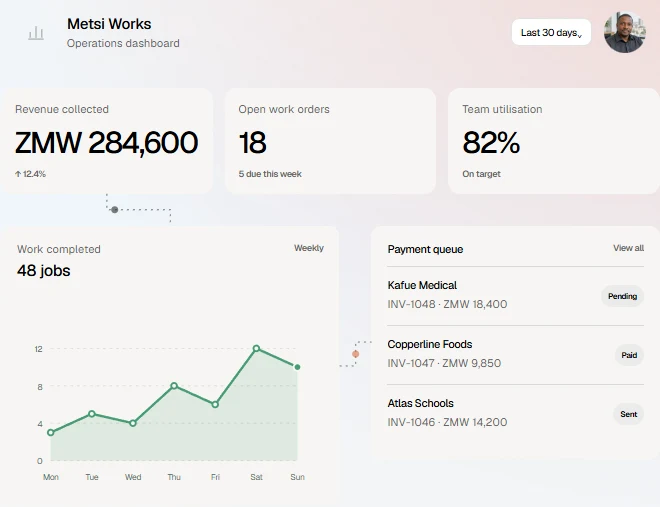
See the numbers and outstanding work that help you make everyday decisions.
Explore the guide
Understand your options before paying for tools or committing to a build.
Explore the guide